
Introduction
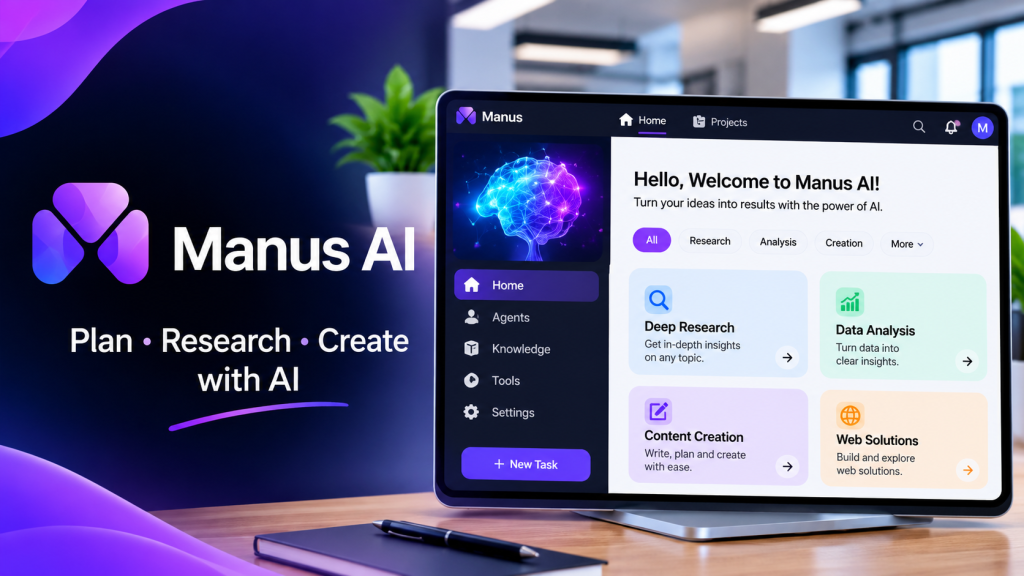
Artificial intelligence is changing how people work. Many AI tools can answer questions, write content, and create images. But some tools can do more than that.
Manus AI is an AI agent platform designed to plan and complete multi-step tasks. It can help with online research, website creation, presentations, coding, video projects, and workflow automation.
Instead of asking an AI tool for a simple answer, you can give Manus a larger goal. It can then plan the work, use available tools, and create an output for you to review.
Manus 2.0 brings several of these features into one platform. It includes a new agent system, a desktop workspace, cloud computing, and tools for research and creative work.
This guide explains how Manus AI works, what it can do, how much it costs, and whether it is worth using.
What Is Manus AI?
Manus AI is a general-purpose AI agent platform. It is designed to carry out tasks instead of only giving text answers.
An AI agent is a system that can understand a goal, plan steps, use tools, and work toward a result.
For example, you could ask Manus to research five competitors and prepare a report. It may search the web, collect information, compare the results, and create a document.
You can also use it to build websites, create slides, work with files, and set up automations.
Manus AI vs a Traditional AI Chatbot
A traditional chatbot mainly responds to your messages. It can explain a topic, answer questions, or write a draft.
An AI agent can take more steps to complete a task.
| Traditional AI chatbot | Manus AI agent |
|---|---|
| Answers questions | Works toward a larger goal |
| Creates text | Can create different types of outputs |
| Often needs step-by-step instructions | Can plan several steps |
| May suggest actions | Can use supported tools to take actions |
| Mainly focuses on conversation | Focuses on task execution |
This does not mean an AI agent works perfectly on its own. It can still make mistakes. You should review important work before using it.
What Can Manus AI Do?
Manus supports several types of work, including:
- Researching topics and competitors.
- Creating reports and documents.
- Building websites and web apps.
- Making presentations.
- Generating images and videos.
- Creating simple games.
- Writing and editing code.
- Working with files.
- Running scheduled and event-based automations.
The exact tools available can depend on your plan, account, and product access.
Who Created Manus AI?
Manus was developed by the company behind the Manus AI platform, Butterfly Effect.
The product focuses on general AI agents. Its goal is to help people use AI to complete practical work, even if they do not know how to code.
Manus describes its mission as extending human reach. It wants to make useful AI tools available to more people, not only engineers.
Is Manus Owned by Meta?
Manus announced that it was joining Meta in December 2025. However, that deal did not remain in place.
In 2026, Chinese regulators ordered the acquisition to be unwound. Manus later said it would return to independent operations.
Reuters reported in October 2026 that Butterfly Effect, Manus’s parent company, had completed a funding round of more than $500 million after the Meta deal ended.
Therefore, Manus should not be described as a Meta-owned company in an article updated on November 17, 2026.
The company has continued to develop its AI agent platform and new products.
Sources: Manus About | Reuters report on Manus funding
What Is Manus 2.0?
Manus 2.0 is a major update to the platform. It brings a new agent system, creative tools, and more ways to complete tasks.
Manus describes it as more than a normal version update. It brings changes to how projects are planned and completed.
Some of its main parts include:
- Cascade.
- Cloud Computer.
- Automations.
- Manus Studio.
- Video Editor.
- Game Dev.
- Computer and browser interaction.
These tools help users move from an idea to a finished project.
What Is Cascade?
Cascade is Manus’s agent system. It helps the platform manage tasks and bring in the tools needed for a project.
For example, a project may need research, writing, website creation, and design. Cascade can help connect these parts within one project.
Manus has published its own performance figures for Cascade. In one tested setup, the company reported fewer tokens used, faster task completion, and lower running costs than its previous system.
These are company-reported results, not a guarantee that every user will get the same results.
Cloud Computer
Cloud Computer gives a project its own cloud-based computing environment.
It can keep applications, scripts, and services running after a normal task session ends. This can help with projects such as bots, servers, and ongoing workflows.
Automations
Automations allow Manus to start work when a set time arrives or when a supported event takes place.
For example, a new email, calendar event, or Slack message may trigger a workflow if the required connection is available.
Manus Studio
Manus Studio is the desktop workspace for creating and editing work.
It brings together tools for documents, spreadsheets, PDFs, slides, websites, code, games, and video projects.
Video Editor and Game Dev
The Video Editor gives users more control over video projects. It supports timeline-based editing and changes to parts of a video.
Game Dev helps users create and edit playable game projects. Users can start from a template and change assets, code, scenes, and other parts.
Some advanced features may require a paid plan, add-on, or separate service.
How Does Manus AI Work?
Manus follows a task-based process. You provide a goal, and the agent works through the steps needed to reach it.
A simple workflow looks like this:
- Give it a task: Write what you want Manus to do.
- Understand the goal: Manus reads your instructions and context.
- Plan the work: It creates a set of steps.
- Use tools: It may use web research, files, code, or other supported tools.
- Complete the steps: It works toward the requested result.
- Create an output: It may produce a report, website, presentation, or other file.
- Review the result: You check the work and ask for changes if needed.
For example, you could ask:
Research five AI writing tools for small businesses in the United States. Compare their main features, pricing, and limits. Create a clear report with links to official sources.
Manus may search for information, organize its findings, and prepare the report.
However, you should still check the sources and facts. AI agents can make errors, misunderstand instructions, or miss useful information.
Task complexity and processing time can also affect credit use.
Main Manus AI Features
Manus offers tools for research, creation, coding, and automation. Here are its main features and how they may help.
AI Research and Wide Research
Manus can search for information and organize findings from different sources.
Its Wide Research feature is designed for tasks that need research across many topics or sources.
You may use it to:
- Research a market.
- Compare products and services.
- Study competitors.
- Collect information from websites.
- Prepare reports.
- Organize research findings.
- Create summaries.
For example, a business owner could ask Manus to compare ten competitors in a market. The agent may collect details about their products, websites, and services.
However, online research is not always correct. Some websites may contain old or false information.
Always check important claims against reliable sources, especially when making business or financial decisions.
Website and Web Application Building
Manus can help users create websites and web applications from written instructions.
A simple prompt might describe the type of website, its pages, design, and main features.
Manus may then help with:
- Website layouts.
- Page design.
- Front-end code.
- Back-end development where supported.
- Database setup.
- User features.
- Testing and debugging.
- Website publishing.
A basic website is different from a full-stack web application.
A basic website may contain pages, images, and contact details. A full-stack application may also need a database, user accounts, server functions, and other systems.
Manus can help with both types of work, but the result still needs testing.
Do not assume that every AI-built website is ready for real customers. Check its security, speed, mobile layout, forms, and other features before launch.
Also remember that building a website and keeping it online can have different costs. Manus explains that published WebDev projects may have separate usage charges for hosting, databases, AI features, and API use.
AI Slides and Presentation Creation
Manus can create presentations from a prompt or research task.
It can help users:
- Organize information into slides.
- Create presentation outlines.
- Design slide layouts.
- Prepare business presentations.
- Turn research into a slide deck.
- Edit and improve slides.
This may help students, freelancers, and business teams prepare presentations.
You should still check facts, images, fonts, and slide layouts before sharing the final file.
AI Design and Image Generation
Manus also supports AI design and image-generation workflows.
Users can describe a visual idea and ask the platform to create an image or design concept.
Possible uses include:
- Marketing graphics.
- Product visuals.
- Social media images.
- Design concepts.
- Creative assets.
- Visual content for presentations.
AI image generation is not the same as using professional graphic design software.
You may get a useful first design, but detailed brand work can still need manual editing.
AI Video Creation and Video Editor
Manus offers video creation tools and a Video Editor.
These tools can help users create or edit video projects for different needs.
Possible uses include:
- Short promotional videos.
- Product advertisements.
- Tutorial videos.
- Marketing content.
- Video drafts.
- Creative projects.
The Video Editor adds timeline-based editing. This gives users more control over clips and other parts of a project.
Before starting a paid project, check the current video limits, export options, formats, and available editing features in your account.
Game Development with Manus
Manus Game Dev helps users create and edit games.
Users can start with a playable template and then change parts of the project.
The editor can support work such as:
- Managing game assets.
- Editing code.
- Changing scenes.
- Adjusting movement.
- Improving game visuals.
- Testing a game.
For multiplayer projects, a server may be needed so other people can join and play.
Manus explains that Cloud Computer can provide a persistent server environment for supported game projects.
This can make it easier to test ideas without setting up every part of the server yourself.
Cloud Computer
Cloud Computer is a persistent virtual machine hosted in the cloud.
A normal task may run in a temporary environment. That environment can close after the task ends.
A Cloud Computer is different. It can keep files, installed tools, and running processes between sessions.
You may use it for:
- Running bots.
- Hosting services.
- Running scripts.
- Supporting ongoing automations.
- Hosting a multiplayer game server.
- Keeping a project active around the clock.
Cloud Computer is a separate resource. Its cost is not the same as your normal Manus subscription.
The official Help Center lists a Basic Cloud Computer option starting at $10 per month. Check the current resource options and billing details before buying.
Automations
Manus Automations can help users reduce repeated manual work.
You can create a workflow that starts at a set time or after a supported event.
Examples include:
- Checking for new emails.
- Preparing a report after a calendar event.
- Responding to a new Slack message with a defined workflow.
- Monitoring a supported advertising metric.
- Updating a process after a Notion change.
You can describe what should happen and what action the agent should take.
However, supported services and permissions can vary. Review every connection before allowing an agent to take action.
Computer Use and Remote Control
Manus can work with supported computer and browser tools.
This can help it interact with websites, files, and applications when the required access is available.
Possible tasks include:
- Opening web pages.
- Working with browser tabs.
- Reading approved files.
- Using supported applications.
- Completing steps in a digital workflow.
Computer access should always be handled with care.
Give only the permissions needed for the task. Avoid giving an AI agent access to private files or accounts that it does not need.
File Creation and Document Handling
Manus can create and work with several types of files.
These may include:
- Documents.
- Spreadsheets.
- PDFs.
- Reports.
- Presentations.
- Other project files.
This can help users turn research into useful documents.
For example, a freelancer could ask Manus to review a spreadsheet and prepare a short report about the main findings.
Always check calculations, data, and formatting before sending a file to a client.
Manus Studio
Manus Studio is the desktop workspace for working with different types of projects.
It brings creative and professional tools into one place.
Its supported work areas include:
- Documents.
- Spreadsheets.
- PDFs.
- Slides.
- Websites.
- Code.
- Games.
- Video editing.
This can help users move between different types of work without starting a completely separate process for every task.
Manus Studio is part of the Manus desktop experience. Check the official download page for current operating system support and requirements.
Cue: Manus’ Separate Personal Agent App
Cue is a separate product related to Manus. It should not be treated as another name for the Manus AI platform.
Cue focuses on personal AI agents that can handle tasks through connected services.
Its announced features include:
- Personal agents.
- Agent groups.
- Task delegation.
- Connected services.
- Phone and desktop use.
- Individual agent identities.
Cue has been introduced as an early-access product. Its access rules and supported features may change.
Do not assume that Cue features are included in every Manus subscription.
How to Use Manus AI: Step-by-Step Guide
If you are new to AI agents, start with a small task. This helps you understand how the platform works before using it for larger projects.
Step 1: Visit the Official Manus Website
Open the official website:
Check the current product information and available sign-up options.
Step 2: Create an Account
Choose an available sign-up method and follow the instructions.
The options shown may depend on your location and account.
Step 3: Explore the Dashboard
After signing in, explore the main dashboard.
Look for the task area and available tools. You may see options for research, creation, projects, or other features.
The exact layout can change as Manus updates its platform.
Step 4: Enter a Clear Prompt
A clear prompt helps the agent understand what you need.
Try to include:
- Your main goal.
- Important background.
- The type of output you want.
- Any limits or rules.
- Your quality expectations.
For example:
Research five popular project management tools for small businesses in the United States. Compare their main features, prices, and free plans. Use official sources where possible. Create a simple comparison table and include source links.
Step 5: Review the Agent’s Work
Follow the task and review the output.
Check:
- Whether the agent understood your goal.
- Whether its sources are reliable.
- Whether the facts are correct.
- Whether the output follows your instructions.
- Whether anything important is missing.
Ask for changes if needed.
Step 6: Export or Publish the Result
When the work is ready, use the available export or publishing options.
Depending on the project, you may be able to download a file, share a presentation, or publish a website.
Check any extra costs before publishing a website or running a long-term service.
Manus AI Pricing and Plans
Manus offers Free, Pro, and Team membership options.
The official Help Center currently lists the following starting prices and plan details. Prices and offers may vary by location, billing choice, or account.
Pricing research date: November 17, 2026.
| Plan | Starting price | Main details |
|---|---|---|
| Free | $0/month | 300 daily refresh credits, 1 concurrent task, 2 scheduled automations |
| Pro | $20/month | Starts with 4,000 monthly credits |
| Higher Pro tier | $40/month | Starts with 8,000 monthly credits |
| Team | $20 per seat/month | Team management and collaboration features |
Annual billing may offer a discount. The current Help Center lists a 17% annual billing discount for the plans shown.
Always check the official Manus pricing page before subscribing.
Manus Free Plan
The Free plan costs $0 per month.
The current Help Center lists:
- 300 daily refresh credits.
- One concurrent task.
- Two scheduled automations.
- Access to basic Manus features.
Daily credits are limited. Free users have a monthly usage cap for daily refresh credits, and those daily credits are only available for Manus 2.0 Lite.
This plan may suit people who want to explore the platform or complete occasional small tasks.
It may not be enough for users who need regular research, website building, or complex agent work.
Manus Pro Plan
The first Pro tier starts at $20 per month.
The current Help Center lists:
- 4,000 monthly credits.
- Advanced research.
- Website deployment features.
- Slide generation.
- Wide Research.
- Up to 20 concurrent tasks.
- Up to 20 scheduled automations.
- Early access to selected beta features.
This plan may suit freelancers, researchers, and professionals who use Manus regularly.
Higher Pro Tiers
Manus also lists a higher Pro option starting at $40 per month.
The Help Center lists 8,000 monthly credits for this tier.
It includes the main Pro features and a larger credit allowance.
Users who complete many tasks may need a higher plan. However, the best option depends on how much work they do and how quickly they use credits.
Manus Team Plan
The Team plan starts at $20 per seat per month, according to the current Help Center.
It is designed for businesses and groups that need shared access and management tools.
Listed features include:
- Team collaboration.
- Single sign-on where supported.
- Usage analytics.
- Internal access controls.
- Data training opt-out options.
- Shared slide templates.
The final price may depend on the number of seats and billing choice.
Is Manus AI Free?
Yes. Manus has a free plan.
It gives users a way to try the platform without paying for a subscription.
However, free access has limits. It does not provide the same credit allowance and agent access as paid plans.
If you only need simple answers or occasional tasks, the free plan may be enough.
Does Manus AI Offer a Free Trial?
The current pricing information lists a seven-day free trial for the $40 Pro option in its plan guidance.
Trial offers can change. They may also depend on your location, account, and checkout page.
Check the final terms before starting a trial. Pay attention to the renewal date and cancellation rules.
How Does the Manus AI Credit System Work?
Credits are important because they help control how much work you can do with Manus.
A task may use credits while the agent plans, searches, processes files, or uses tools.
According to the official Help Center, credit use mainly depends on three areas:
- AI model tokens: Used for planning, decisions, and creating outputs.
- Virtual machines: Used for file work, browser automation, and code execution.
- Third-party APIs: Used to access connected external services.
The amount used depends on the task’s complexity and duration.
Why Do Some Tasks Use More Credits?
A short question may need only a small amount of processing.
A complex website project may need more steps. It may involve research, code, testing, file work, and deployment.
That is why a large project can use more credits than a simple question.
There is no single fixed price for every task.
Types of Manus Credits
Manus uses different credit types.
| Credit type | How it works |
|---|---|
| Daily credits | Refresh each day and do not roll over |
| Monthly credits | Come with a paid subscription |
| Add-on credits | Purchased separately and subject to expiry rules |
| Event credits | Earned through events and may expire |
| Free credits | Follow their own account rules |
The official credit policy also explains that daily refresh credits are used before monthly subscription credits.
Do Unused Monthly Credits Roll Over?
No. Unused monthly subscription credits do not roll over to the next cycle.
They are cleared when the next billing cycle begins.
Monthly credits refresh based on your subscription date. This applies to monthly and annual subscriptions.
Add-on credits have different rules. They may carry over while the paid subscription is active, but they have an expiry date.
If a paid subscription ends, remaining add-on credits can become inactive until the subscription is renewed.
Do Completed Tasks Keep Using Credits?
No. Manus says credits are used during active task processing.
Keeping completed tasks or stored outputs does not continue to consume credits.
How Can You Control Credit Use?
Try these simple steps:
- Give clear instructions.
- Avoid unnecessary repeated tasks.
- Break large projects into smaller parts.
- Check the usage page.
- Review the output before asking for major changes.
- Choose the plan that fits your normal workload.
You can review credit use through the account’s usage settings.
For the full rules, read the official Manus credit guide.
Best Ways to Use Manus AI
Manus can support different types of users. Its value depends on the tasks they need to complete.
Manus AI for Students
Students can use Manus to support their learning.
It may help with:
- Researching study topics.
- Creating study notes.
- Preparing presentations.
- Organizing information.
- Explaining difficult subjects.
Students should check facts and follow their school’s rules on AI use.
Manus AI for Freelancers
Freelancers often manage several tasks for different clients.
Manus may help with:
- Client research.
- Project reports.
- Website prototypes.
- Presentations.
- Project planning.
- Repeatable workflows.
For example, a freelancer could use it to research a client’s industry and prepare a first draft of a market report.
The freelancer should still review the work before sending it to the client.
Manus AI for SEO Professionals
Manus may be useful for SEO research and project support.
SEO professionals can use it for:
- Competitor research.
- Content research.
- Website audit reports.
- Keyword organization.
- Content planning.
- Client presentations.
- Simple SEO tool prototypes.
- Research summaries.
For example, you could ask Manus to review five competitor websites and prepare a report about their content structure.
However, AI research should not replace specialist SEO tools.
Use trusted tools for keyword volume, keyword difficulty, backlinks, rankings, and technical checks. Verify all important data before making SEO decisions.
Manus does not guarantee better rankings or more organic traffic.
Manus AI for Small Businesses
Small businesses can use Manus for many daily tasks.
Examples include:
- Market research.
- Website creation.
- Business planning.
- Marketing materials.
- Data analysis.
- Customer support workflows.
- Process automation.
A business owner could use Manus to prepare a competitor report or create a first website draft.
Important business decisions still need human review.
Manus AI for Developers
Developers can use Manus to support technical work.
It may help with:
- Prototypes.
- Code generation.
- Debugging.
- Web applications.
- Testing.
- Project automation.
AI-generated code should always be reviewed and tested before it is used in a live product.
Manus AI for Marketing Teams
Marketing teams can use Manus for research and content workflows.
It may help with:
- Campaign research.
- Competitor analysis.
- Presentations.
- Marketing graphics.
- Video drafts.
- Reports.
- Workflow automation.
Teams should also review brand rules, claims, and campaign data before publishing.
Manus AI vs ChatGPT
Manus and ChatGPT are both useful AI platforms, but they focus on different types of work.
ChatGPT is a general AI assistant with tools for writing, research, coding, analysis, and agent-based work.
Manus focuses strongly on carrying out tasks through an AI agent system.
| Feature | Manus AI | ChatGPT |
|---|---|---|
| Main purpose | Agent-driven task execution | General AI assistance and work |
| Chat | Yes | Yes |
| Multi-step tasks | Yes | Yes, through supported agent tools |
| Web research | Yes | Yes, through supported search tools |
| Website creation | Supported | Supported through coding and tools |
| Presentations | Supported | Supported through available tools |
| Image tools | Available | Available |
| Video tools | Available | Available through supported products |
| Automation | Scheduled and event-based options | Depends on available tools and integrations |
| Coding | Yes | Yes |
| Usage limits | Credits and plan limits | Plan and tool usage limits |
| Ideal users | People who want delegated agent workflows | People who need a broad AI assistant |
Which One Should You Choose?
Choose Manus if you want an agent to work through a multi-step project and create different outputs.
Choose ChatGPT if you want a broad assistant for conversation, writing, analysis, coding, and other supported tasks.
Some users may benefit from both tools. The best choice depends on your work, budget, and preferred workflow.
Manus AI vs Other AI Agent Tools
Manus is not the only platform offering AI-powered work tools.
Here are some alternatives worth comparing.
| Tool | Main use | Possible strength |
|---|---|---|
| ChatGPT | General AI assistance and agent work | Broad set of AI tools |
| Google Gemini | AI assistance and Google ecosystem | Connection with Google services |
| Claude | Writing, analysis, and coding | Strong focus on long-form work and code |
| Genspark | AI search and task workflows | Research and agent features |
| Manus AI | Agent-based research and creation | Multi-step task execution and project tools |
These products change often. Their plans and features may also differ by region.
Before choosing a tool, compare its current official pricing, usage limits, integrations, and supported features.
No platform is automatically the best choice for every user.
Benefits of Manus AI
Manus offers several possible benefits.
1. Multi-Step Task Execution
You can give it a larger goal instead of asking for every small step.
This may help when a task needs research, planning, and several outputs.
2. Support for Different Types of Work
Manus can help with research, websites, slides, documents, video, games, and code.
This gives users several tools within one platform.
3. Less Repeated Manual Work
Automations can help with tasks that happen again and again.
This may reduce the need to repeat the same steps manually.
4. Cloud-Based Projects
Cloud Computer can keep selected services running after a normal task ends.
This may help with bots, servers, and ongoing workflows.
5. Useful for Non-Technical Users
People who do not know how to code can describe an idea in plain language.
Manus may then help turn that idea into a first version.
6. Flexible Workflows
Users can work on research, content, and creative projects through the same platform.
However, the quality of the result still depends on the task, instructions, and available tools.
Limitations and Disadvantages of Manus AI
Manus can be useful, but it also has limits.
1. Credit Consumption
Large tasks may use many credits.
Users should understand the credit system before starting complex projects.
2. Subscription Costs
The free plan has limits. Regular users may need a paid plan.
Cloud Computer and deployed website services can also have separate costs.
3. Task Errors
Manus may misunderstand instructions or produce incorrect results.
You should check important work before using it.
4. Inaccurate Research
An AI agent may collect information from weak or outdated sources.
Always verify important facts.
5. Need for Human Review
Manus can create a first version of a project, but people still need to check the result.
This is especially important for websites, business reports, and client work.
6. Learning Curve
New users may need time to learn how to write good prompts and manage tasks.
7. Feature Availability
Some tools may depend on your plan, location, account, or early-access status.
8. Website and Code Risks
AI-generated websites and code can contain bugs or security problems.
Test them before using them with real customers.
Is Manus AI Safe to Use?
Manus provides information about its security and privacy practices through its Trust Center.
Its Trust Center lists security and privacy measures, including certifications and independent security assessments.
However, no online service can be described as completely risk-free.
You should take care when giving Manus access to files, websites, or connected accounts.
Tips for Safer Use
- Do not share passwords in normal prompts.
- Avoid uploading sensitive personal information.
- Give only the permissions needed for a task.
- Review connected apps and account access.
- Check important actions before approval.
- Review generated files before sharing them.
- Read the current privacy policy and service terms.
Businesses should review the data terms and security information before using Manus for confidential work.
You can find more information at the Manus Trust Center and Manus Privacy Policy.
Who Should Use Manus AI?
Manus may suit people who need help with tasks that involve several steps.
It may be useful for:
- Entrepreneurs.
- Freelancers.
- Researchers.
- Students.
- Developers.
- Content creators.
- SEO professionals.
- Marketing teams.
- Small businesses.
However, not everyone needs a paid AI agent platform.
If you only want simple answers, short text drafts, or occasional brainstorming, a basic chatbot may be enough.
If you often need research, reports, websites, or automated workflows, Manus may be worth exploring.
Is Manus AI Worth It?
Manus can be useful when you need more than a simple AI response.
Its agent tools can help with research, creation, coding, and automation. Manus 2.0 also brings more tools into connected projects.
However, the value depends on your work.
Think about these points before paying:
- How often will you use it?
- Do you need multi-step agent tasks?
- Will you use research and creation tools?
- How many credits will your tasks need?
- Does your budget cover the subscription?
- Are you ready to review the results?
The Free plan may be enough for basic use.
A Pro plan may make sense if you regularly need more credits and advanced features.
A Team plan may suit a business that needs shared access and management tools.
Start with a small task. Review the output and credit use. Then decide whether a paid plan is worth the cost.
Frequently Asked Questions About Manus AI
1. What is Manus AI?
Manus AI is a general-purpose AI agent platform. It can plan and complete multi-step tasks such as research, website creation, presentations, and automation.
2. Who created Manus AI?
Manus was developed by the company behind the platform, Butterfly Effect. It was built to make general AI agents useful for more people.
3. Is Manus AI a chatbot or an AI agent?
It supports chat, but its main focus is AI agent work. Its agents can plan tasks, use tools, and create outputs.
4. What is Manus 2.0?
Manus 2.0 is a major platform update. It brings a new agent system, Cloud Computer, Automations, Manus Studio, Video Editor, and Game Dev.
5. Is Manus AI free?
Yes. Manus offers a free plan with daily credits and limits on tasks and automations.
6. How much does Manus AI cost?
The official Help Center lists Pro plans starting at $20 per month and a higher option starting at $40 per month. Team plans start at $20 per seat per month. Check the pricing page for current offers.
7. How do Manus AI credits work?
Credits are used during task processing. Their use depends on AI tokens, virtual machines, third-party APIs, and task complexity.
8. Can Manus AI build websites?
Yes. Manus supports website and web application creation. Generated websites still need testing before launch.
9. Can Manus AI create presentations?
Yes. Manus can help create and edit slide presentations from prompts and research.
10. Can Manus AI create videos?
Yes. Manus offers video creation tools and a Video Editor. Check the current account limits and export options.
11. Can Manus AI automate tasks?
Yes. Manus Automations can run scheduled tasks and supported event-triggered workflows.
12. Is Manus AI good for SEO?
It can help with competitor research, content planning, reports, and keyword organization. Use specialist SEO tools to verify keyword and ranking data.
13. Can Manus AI write code?
Yes. Manus can help create, explain, and edit code. Always test AI-generated code before using it in a live project.
14. Is Manus AI better than ChatGPT?
Not for every task. Manus focuses on agent-based execution, while ChatGPT offers broad AI assistance and its own agent tools. The best choice depends on your needs.
15. Is Manus AI safe?
Manus publishes security and privacy information through its Trust Center. Still, users should protect sensitive data and review permissions.
16. Does Manus AI work on mobile?
Manus 2.0 is available on the web, desktop, and mobile. Check the official download page for current device support.
17. Can businesses use Manus AI?
Yes. Businesses can use it for research, reports, websites, presentations, and supported workflow automation.
18. What are the best Manus AI alternatives?
Options include ChatGPT, Google Gemini, Claude, and Genspark. Compare their current tools, pricing, and limits before choosing.
19. What is the difference between Manus and Cue?
Manus is the AI agent platform for research, creation, and task execution. Cue is a separate personal agent product with its own access and availability rules.
20. Is Manus AI worth paying for?
It may be worth paying for if you regularly use its advanced agent features. Try the free plan first and review your credit use before upgrading.
Conclusion
Manus AI is an AI agent platform designed to help people complete practical work.
It can support research, website creation, presentations, coding, video projects, and automation. Manus 2.0 adds a new agent system, Manus Studio, Cloud Computer, and other tools.
Its Free plan gives users a way to try the platform. Paid plans offer more credits and access to more features. However, users should also consider credit use, separate cloud costs, and the need to review AI-generated work.
Manus may be useful for freelancers, students, developers, SEO professionals, and businesses. But it is not a replacement for human judgment or specialist tools.
If you are interested in using Manus AI, start with a small task on the free plan. Check the result, review the credits used, and decide whether it fits your needs.
For more guides about AI tools, SEO, digital marketing, and online business, explore the resources on MRRankers.pk.